

Africa is a fantastic place to travel, from the bustling streets of Lagos to wildlife safaris in Tanzania. However, one critical factor that many travellers overlook is internet safety when travelling in Africa. With the prevalence of Wi‑Fi hotspots, online banking, digital travel applications, and international communication tools, online security has become an essential part of modern travel. Real threats to tourists and expatriates include hacking, phishing, identity theft, and unsecured Wi‑Fi networks. Adequate internet security enables travellers to enjoy their journey and communicate without worrying about the theft of personal data or financial loss.
This guide offers practical tips, strategies, and essential tools to ensure internet safety for travellers in Africa, covering Wi‑Fi protection, VPN usage, secure communication tools, and password management. By following these recommendations, travellers can protect their online presence while fully experiencing the continent.
Why Internet Safety Matters for Travellers in Africa
Africa has diverse infrastructure and connectivity. While internet and mobile networks are typically reliable in cities, rural areas, remote lodges, and even airports often have unsecured public Wi‑Fi or shared networks. Travellers frequently use these networks for essential activities such as:
- Checking email and social media
- Making online payments and reservations
- Using navigation and travel apps
- Communicating with family and friends
Without proper precautions, travellers can fall victim to cyberattacks, including:
- Phishing schemes: Fake emails or websites designed to steal credentials
- Wi‑Fi hacking: Interception of data on unsecured open networks
- Malware and ransomware: Malicious software that attacks devices
- Identity theft: Theft of personal and financial information
Understanding these risks and how to control them is essential for staying safe online while travelling in Africa.
Common Internet Security Threats for Travellers

Before exploring solutions, it is helpful to understand the typical threats travellers face:
1. Public Wi‑Fi Networks
Many hotels, airports, restaurants, and cafes in Africa offer free Wi‑Fi. While convenient, these networks are often unsecured, making it easy for hackers to intercept data. Risks include eavesdropping on communications, intercepting passwords or login details, and infecting devices with malware.
2. Unsecured Online Transactions
Accessing bank accounts, paying for accommodation, or booking tickets via public Wi‑Fi can expose sensitive financial data when the connection is not secure.
3. Phishing Scams
Travellers may receive emails or messages appearing to come from airlines, hotels, or travel agents. Clicking on malicious links can compromise personal information or install malware.
4. Lost or Stolen Devices
Smartphones, tablets, and laptops are common targets for theft. If these devices contain unencrypted information or auto‑login details, data is easily accessible to thieves.
5. Fake Travel Apps
Downloading apps from unofficial sources may expose travellers to malware or data mining. Always use trusted sources such as the Google Play Store or Apple App Store.
Essential Internet Safety Practices for Travelling in Africa
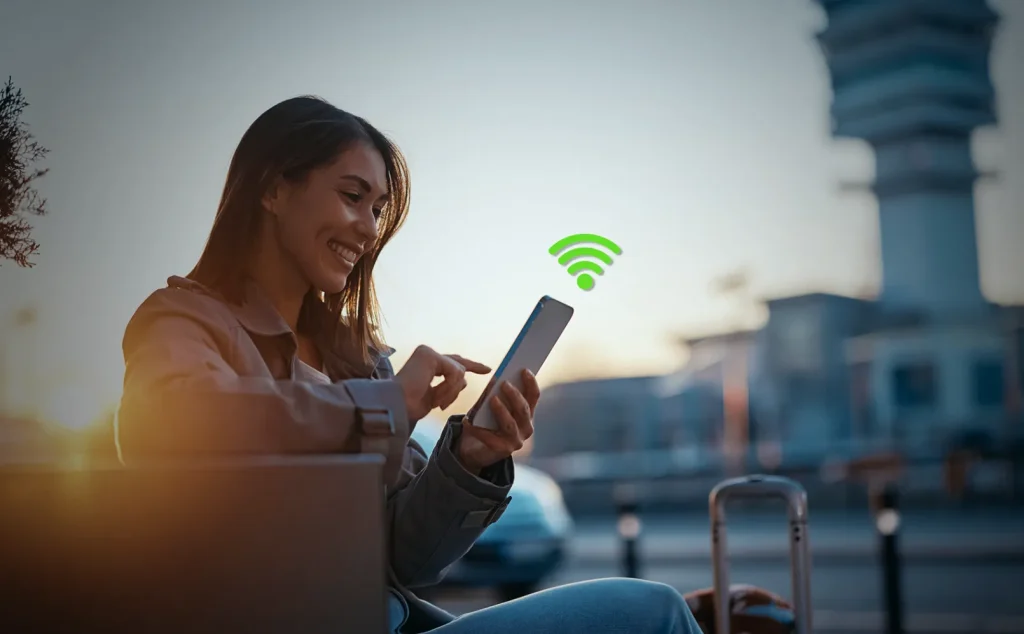
1. Use a Reliable VPN
A Virtual Private Network (VPN) is one of the most important tools for internet safety. A VPN encrypts your internet traffic, making it difficult for hackers to intercept your data.
Tips:
- Choose a reputable VPN provider with African servers for better speed.
- Activate the VPN whenever using public Wi‑Fi or mobile internet.
- Avoid free VPNs that may log or sell your data.
2. Connect Only to Secure Wi‑Fi Networks
When using Wi‑Fi, look for security indicators such as HTTPS in the URL and avoid networks that are not password‑protected.
Tips:
- Confirm the correct network name with hotel or cafe staff to avoid fake networks.
- Turn off automatic Wi‑Fi connections on your devices.
- Consider using a mobile hotspot for critical communications.
3. Enable Two‑Factor Authentication (2FA)
Adding two‑factor authentication to online accounts such as email, banking apps, and travel platforms provides an extra layer of security. Even if a hacker obtains your password, they cannot access your account without the secondary verification.
Tips:
- Use authentication apps such as Google Authenticator or Authy.
- Avoid SMS‑based 2FA where possible, as messages can be intercepted.
4. Keep Devices Updated
Software updates often include important security patches. Before travelling and throughout your trip, ensure that smartphones, laptops, and apps are up to date.
Tips:
- Enable automatic updates where possible.
- Regularly update VPN and security applications.
5. Use Strong Passwords and a Password Manager
Weak passwords are easily cracked by hackers. Create complex passwords and use a password manager to store them securely.
Tips:
- Include letters, numbers, and special characters.
- Avoid common information such as birthdays or pet names.
- Use password managers such as LastPass or Dashlane.
6. Encrypt Sensitive Data
Encrypting files and communications adds an extra layer of security.
Tips:
- Use encrypted cloud storage for files, images, and travel plans.
- Enable device encryption on smartphones and laptops.
- Use secure messaging apps such as Signal or WhatsApp for private communication.
7. Back Up Your Data
Lost, stolen, or compromised devices can lead to permanent data loss. Cloud backups ensure important files are recoverable and reduce the impact of cyberattacks.
Tips:
- Use encrypted cloud storage services.
- Keep offline copies on a secure external drive.
- Regularly update backups while travelling.
8. Be Wary of Public Charging Stations
USB charging stations at airports or other public places may contain malware. Travellers should use personal chargers and power banks whenever possible.
Tips:
- Carry a portable battery pack.
- Use USB data blockers when charging in public.
Essential Apps for Internet Safety in Africa

Several apps can help travellers maintain internet security:
- ExpressVPN, NordVPN, or CyberGhost: Encrypt internet connections
- LastPass or Dashlane: Securely store passwords
- Lookout or Avast Mobile Security: Protect smartphones with antivirus features
- Signal or WhatsApp: Provide encrypted calls and messages
- 1Password or Keeper: Securely store travel documents and credentials
Using these apps helps travellers protect their personal and digital information while exploring Africa.
Staying Safe with Travel Apps
Travel apps are indispensable for navigation, accommodation, transport, and safari bookings. However, they should be used securely to maintain internet safety:
- Download apps only from official stores.
- Check reviews and ratings before downloading.
- Avoid sharing sensitive information on unencrypted apps.
- Log out of accounts after each use.
- Enable multi‑factor authentication wherever possible.
Handling Internet Security Emergencies
Despite precautions, emergencies can occur. Travellers should know how to respond to security incidents:
- Lost or Stolen Device: Use find‑my‑device features to locate or remotely wipe the device.
- Phishing Attempt: Do not click on suspicious links; notify the relevant administrator.
- Suspicious Wi‑Fi: Disconnect immediately and use a VPN for all further communication.
- Data Breach: Change passwords immediately and inform relevant financial institutions or services.
Conclusion
Internet safety is a critical priority for travellers in Africa to protect personal and financial information and ensure a smooth travel experience. By using VPNs, connecting only to secure Wi‑Fi, enabling encryption, using strong passwords, and relying on trusted security applications, travellers can explore Africa’s beauty, culture, and adventures without digital threats.
Whether on safari in Botswana or navigating the streets of Nairobi, Cape Town, or elsewhere, prioritising internet safety helps travellers stay secure and maintain smooth communication and travel arrangements. These best practices minimise cyberattack risks and allow travellers to enjoy the African experience to its fullest.
With smart planning, reliable tools, and digital awareness, travellers can safely navigate Africa’s vast and diverse landscapes, making their journey unforgettable and secure.